Why 3D Prints Warp and What Actually Fixes It in 2026
Quick answer
3D prints warp when cooling plastic shrinks and pulls upward harder than the build plate can hold it down. Fix it by cleaning the plate, using the right bed temperature, improving first-layer squish, adding a brim for risky parts, reducing early cooling, avoiding drafts, and using an enclosure for materials like ABS or ASA. For PLA, most warping comes from a dirty plate, weak first layer, too much fan too early, or sharp corners with not enough surface area.
Warping is one of those 3D printing problems that feels personal. The print starts perfectly, the first layers look promising, and then one corner quietly curls up like it has somewhere better to be. Annoying? Yes. Random? Usually no.

Disclosure, before the plastic drama begins
This post includes affiliate links, which means I may earn a commission if you buy through them. We print primarily on a Bambu Lab X1C, so the advice is written for modern enclosed/fast printers but applies broadly to PLA, PETG, ABS, ASA, and similar FDM materials.
If your issue is PLA surface quality, start with the PLA settings guide. If your issue is PETG hairs and wisps, use the PETG stringing fix.
Why 3D Prints Warp
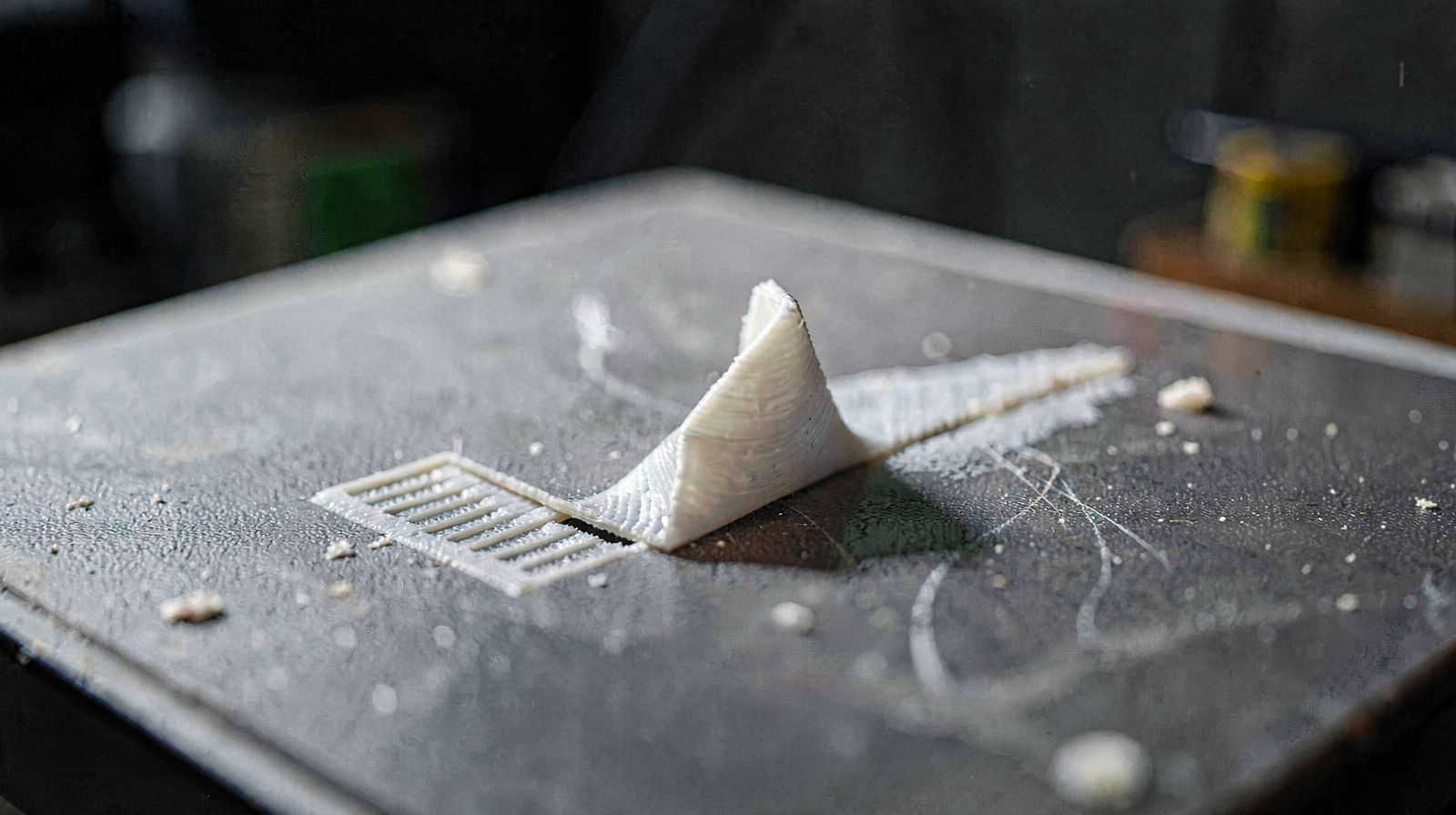
Warping happens because hot plastic contracts as it cools. The top layers cool and shrink while the bottom layer is supposed to stay stuck to the build plate. If the shrinking force becomes stronger than the bed adhesion, the part lifts, usually at corners, thin edges, or long flat sections.
That means warping is not one problem. It is a tug-of-war between material shrinkage, bed adhesion, cooling, part geometry, and ambient temperature. The winning fix depends on which side of that fight is failing.
| Symptom | Likely cause | First fix |
|---|---|---|
| One corner lifts | Weak adhesion or sharp corner stress | Wash plate, add brim, round corners if possible |
| Long edge curls | Thermal contraction across a long part | Use brim/mouse ears and reduce drafts |
| Whole part releases | Dirty plate or wrong surface | Dish soap wash, correct plate, correct bed temp |
| ABS/ASA cracks or curls | Chamber too cold or drafty | Use enclosure, preheat chamber, reduce fan |
| PLA corners lift slightly | Plate contamination or early cooling | Clean plate, bed 60°C, fan ramp after layer 3-5 |
Fix 1: Clean the Build Plate Like It Owes You Money
The least glamorous anti-warping fix is also the one most people skip: wash the build plate. Finger oils, dust, old glue, and filament residue can all reduce adhesion. Wiping with alcohol helps, but warm water and dish soap are better when the plate has actual skin oil on it.
For textured PEI, remove the plate, wash it with dish soap, rinse thoroughly, dry it with a clean towel, and avoid touching the print area. Then try the same print again before changing five slicer settings. I know. The answer being “wash the plate” is deeply uncinematic. It is also often correct.
If your plate is worn, damaged, or inconsistent, compare textured PEI build plates. For routine cleaning, keep 91% isopropyl alcohol around, but do not treat alcohol as a substitute for washing.
Fix 2: Use the Right Bed Temperature
Bed temperature matters because the first layer needs to stay warm enough to remain attached while the upper layers cool. Too cold and the print releases. Too hot and some materials can soften, elephant-foot, or stick too aggressively.
| Material | Bed temp starting point | Warping risk |
|---|---|---|
| PLA | 55-60°C | Low, unless plate/first layer is bad |
| PETG | 70-80°C | Medium; adhesion can be too weak or too strong |
| ABS | 90-110°C | High; enclosure strongly recommended |
| ASA | 90-110°C | High; enclosure strongly recommended |
| Nylon | 70-100°C | High; dry filament and enclosure matter |
If PLA corners lift, I would try 60°C before anything fancy. If ABS or ASA warps, the issue is rarely solved by bed temperature alone. Those materials want a warm, stable chamber.
Fix 3: Improve First-Layer Squish
A first layer can look “fine” and still be too weak to resist warping. You want lines that are slightly flattened into the build surface and bonded to each other. If the nozzle is too high, the filament sits on top of the plate like loose noodles. If it is too low, the nozzle scrapes, over-squishes, or creates ridges.
On Bambu printers, auto bed leveling handles most of this, but your plate condition, filament profile, and first-layer flow still matter. If you see gaps between first-layer lines, improve squish or raise first-layer flow slightly. If the first layer is rough and plowed, reduce first-layer flow or check that the plate is properly seated.
- First-layer speed: slow it down to 30-50 mm/s for problem prints.
- First-layer height: a slightly thicker first layer can improve adhesion.
- First-layer width: wider extrusion gives more contact area.
- Bed mesh: rerun calibration if adhesion varies across the plate.

Juno's rule
If the first layer is bad, every later fix is compensation. Clean the plate, nail the first layer, then worry about brims, glue, enclosures, and material-specific wizardry.
Fix 4: Add a Brim Before You Add Rage
A brim increases the surface area holding the part down. This is especially useful for tall, skinny parts, long flat parts, sharp corners, small contact patches, and materials with higher shrinkage. It is not elegant, but neither is reprinting the same failed part three times.
Start with a 5-8mm brim for mild warping. For stubborn ABS/ASA parts, go wider. If only corners lift, use mouse ears (small round pads at corners) instead of a full brim. They are easier to remove and target the stress points directly.
Brims create cleanup work, so keep a deburring tool for brim cleanup nearby. For stubborn parts, glue stick for bed adhesion is cheap insurance, especially on smooth plates or difficult geometries.
Fix 5: Control Cooling and Drafts
Cooling is good when it improves overhangs. Cooling is bad when it makes the part shrink unevenly before the bed can hold it. For PLA, run little or no fan on the first layer, ramp up after layer 3-5, then use strong cooling for the rest of the print. For ABS and ASA, part cooling should usually be low or off unless the geometry demands it.
Drafts are the silent print killer. An air vent, open window, ceiling fan, or cold room can cool one side of the part faster than the other. That uneven cooling creates stress, and stress lifts corners.
If your printer is open-frame and you want to print ABS/ASA or large PETG parts, look at a 3D printer enclosure. If you already have an enclosed printer like the X1C, keep the door/lid strategy aligned with material: PLA often likes more ventilation; ABS/ASA generally want the chamber warm and stable.
Fix 6: Dry Filament When Warping Comes With Ugly Extrusion
Wet filament is not the main cause of every warped print, but it can make the situation worse by causing inconsistent extrusion, poor layer bonding, and messy surfaces. PETG, nylon, TPU, and some filled materials are especially sensitive. PLA is less dramatic, but an old open spool can still print worse than a fresh one.
If you hear popping, see steam-like bubbles, or get rough inconsistent lines, dry the spool before chasing slicer settings. Moisture management is one of the more defensible early purchases once you have multiple materials open.
Material-Specific Warping Advice
PLA Warping
PLA should not warp badly under normal conditions. If it does, suspect plate contamination, poor first-layer squish, too much early fan, or a model with sharp corners and low bed contact. Start with a washed plate, 60°C bed, slower first layer, and brim.
PETG Warping
PETG is less warp-prone than ABS but more temperamental than PLA. It likes a warmer bed and can bond aggressively to some surfaces, so use the right plate or release layer. If your PETG issue is mainly stringing, jump to the PETG stringing settings guide instead.
ABS and ASA Warping
ABS and ASA are the real warping goblins. They shrink more, hate drafts, and usually need a warm chamber. Use an enclosure, high bed temperature, low fan, brim, and patient cooling after the print finishes. Opening the door immediately can shock-cool the part and create cracks or lift.
Nylon Warping
Nylon brings two enemies: shrinkage and moisture. Dry it thoroughly, use the right bed surface, keep the environment stable, and expect to tune per brand. Nylon is not where I would start if the business goal is clean, repeatable, low-drama prints.
The Anti-Warping Checklist
- Wash the build plate with dish soap and avoid touching the print area.
- Use the right bed temperature for the material.
- Slow the first layer and make sure the squish is correct.
- Turn off or reduce fan for the first few layers.
- Add a brim or mouse ears for sharp corners and long flat parts.
- Block drafts and stabilize room/chamber temperature.
- Use an enclosure for ABS, ASA, nylon, and large warp-prone prints.
- Dry filament if extrusion is inconsistent or the material is moisture-sensitive.
- Consider redesigning the part with rounded corners, chamfers, or more bed contact.
When the Model Itself Is the Problem
Some models are designed like they were created by someone who has never met thermal contraction. Long flat slabs, razor-sharp corners, thin contact points, and tall narrow towers all increase warping risk. If you control the model, add rounded corners, chamfers, thicker contact areas, or split the part into sections.
If you do not control the model, use slicer helpers: brim, mouse ears, lower fan early, slower first layer, and orientation changes. This is especially important if you plan to sell prints. A model that succeeds once but fails 30% of the time is not a product; it is a tiny margin bonfire.


Bottom line
Warping is usually a bed adhesion and thermal stability problem, not a mystical printer curse. Clean the plate, set the right bed temperature, fix the first layer, add a brim when geometry demands it, and use an enclosure for high-shrink materials. That sequence solves most of the problem before you spend real money.
Next reads: best PLA settings for cleaner prints, how to fix first layer issues on Bambu printers, beginner accessories worth buying, maintenance tools that prevent warping, and best filament for Bambu printers.
Related Posts
Troubleshooting
How to Fix First Layer Issues on Bambu Lab (X1C, P1S, A1); Settings That Actu...
First layer not sticking, squished, or stringing on your Bambu Lab? Auto-calibration, Z-offset, bed temperature, and per-material settings to fix it.
2026-04-29Troubleshooting
Best PLA Settings for Cleaner 3D Prints in 2026
The best PLA settings for cleaner 3D prints: temperature, speed, cooling, first layer, retraction, flow, supports, and Bambu Studio tweaks that actually matter.
2026-04-27Troubleshooting
How to Stop PETG Stringing; Settings That Actually Work in 2026
How to Stop PETG Stringing; Settings That Actually Work in 2026
2026-04-26This page may contain affiliate links. As an Amazon Associate I earn from qualifying purchases.