Best Filament for Bambu Lab X1C (2026): What Actually Prints Well
Quick answer
PLA is the best filament for the Bambu Lab X1C. It prints fast, clean, and reliable at the speeds this printer was built for. If you want something stronger, go PETG. Need heat resistance? ABS in the enclosure. Want flexible parts? TPU. Your filament choice should be about what you're making, not what the printer can tolerate.
PLA is supposed to be the easy filament. And on the X1C, it is. But the X1C handles far more than PLA. ABS, TPU, silk, matte, the whole spectrum. After a year of watching this printer run through our filament inventory, I know which materials produce clean prints at speed, which ones demand patience, and which ones are worth the extra cost for the parts you're trying to make.

Disclosure, with the usual tiny robot eyebrow raise
We've printed with all the filaments in this guide on a Bambu Lab X1C with AMS: Bambu PLA Basic, PLA Matte, PLA Silk, ABS, and TPU for AMS. The data is firsthand. Print counts, failure modes, speed profiles. This post includes affiliate links, which means I may earn a commission if you buy through them. The bias is toward fewer failed prints and materials that actually work at Bambu's print speeds.
If your problem is PLA quality specifically, read Best PLA Settings for Cleaner Prints. If warping is your enemy, check Why 3D Prints Warp (and What Actually Fixes It).
The Decision Matrix: Which Filament for What You're Making
Before diving into each material, here's the cheat sheet. Pick your use case, get your filament, skip the rest if you want.
| What you're making | Best filament | Why |
|---|---|---|
| Prototypes, test prints | PLA Basic | Cheap, fast, reliable at X1C top speeds |
| Display models, props | PLA Matte | Hides layer lines without post-processing |
| Gifts, photo-worthy prints | PLA Silk | Looks premium straight out of the printer |
| Functional parts, enclosures | ABS | Heat + impact resistant, enclosure handles warping |
| Flexible parts, gaskets | TPU | Flexes without breaking, AMS handles it surprisingly well |
| Outdoor items | ABS or ASA | UV and heat resistant |
PLA Basic: The Default for a Reason
PLA is the filament equivalent of a Toyota Camry. It just works. On the X1C, Bambu's PLA profile pushes it to 200mm/s+ and the layers still come out clean. No warping, minimal stringing, and the printer's auto-flow calibration nails it first try.
We've printed with PLA Basic in black, brown, gold, green, jade white, indigo purple, and mistletoe green through the AMS. They all behave identically. Color doesn't change performance on the X1C. That's the beauty of Bambu's pre-tuned profiles.
What we've printed with it:
- Calibration cubes and test prints (dozens)
- Functional household items: cable organizers, hooks, shelf brackets
- Miniatures and decorative pieces
The good: Prints at X1C top speeds without quality loss. Virtually zero warping on the textured PEI plate. Wide color selection from Bambu and third-party brands. Cheap at $20-30 per kg.
The bad: Brittle under impact (don't make phone cases out of it). Heat resistance stops around 55°C (car dashboard = melted PLA). UV degrades it outdoors within months.
Need a starting spool? check Bambu PLA Basic on Amazon. If you want the layer-line-hiding variant instead, Bambu PLA Matte is the next step up.
PLA Matte: When You Want It to Look Expensive
Here's the thing about PLA Matte that nobody talks about: it makes mediocre prints look good. The matte finish diffuses light across the surface, which hides layer lines that would be obvious on glossy PLA. If you're printing large surface areas and don't want to spend an hour sanding, matte is your friend.
Our workhorse matte colors are marine blue and charcoal. We've used them for prop replicas (swords, helmets, armor pieces), large decorative items where layer visibility was a concern, and multi-color prints through the AMS. Matte plus matte blends beautifully without the sheen clash you get mixing silk and gloss.
The good: Hides layer lines, the single biggest advantage. Doesn't show fingerprints or smudges. Sands and paints beautifully. Prints at the same speeds as PLA Basic.
The bad: Can look "flat" if you want vibrant colors. Slightly more expensive than PLA Basic. Not ideal for detailed miniatures where you want crisp edges.
PLA Silk and Silk Multi-Color: The Show-Off Filaments
PLA Silk has a metallic sheen that changes with viewing angle. Print a vase in Silk Gold and it looks like it came from a store, not a $1,000 printer on a desk. The multi-color silk variants (Aurora Purple, Blue Hawaii) are even more impressive. They shift between 3 and 4 colors as the extruder lays down material.
We've printed gift items, premium desk accessories, and photo-worthy demo prints with silk. The sheen doesn't affect flow or reliability at X1C speeds. Surprisingly, it prints as well as basic PLA. It just looks better in photographs. That matters if you're selling prints or building a brand.
Want the attention-grabber? check Bambu PLA Silk Multi-Color on Amazon. It's the filament that makes people ask "what printer did you use?"
The good: Stunning visual effect with zero post-processing needed. Great for affiliate and product photography. Prints reliably at X1C speeds.
The bad: The sheen can wash out fine detail on miniatures. More expensive than basic PLA ($25-35/kg for multi-color silk). Not for functional parts. It's a beauty material.
ABS: When PLA Isn't Tough Enough
ABS is the filament that justifies the X1C's enclosure. The heated chamber keeps temperature consistent, which means no warping. Warping is the number one reason ABS prints fail on open-frame printers. The X1C handles ABS like it's handling PLA, just slower and hotter.
We keep ABS in black (2 spools), white (4 spools), blue, navy blue, silver, and tangerine yellow. Black and white are the workhorses. They're the colors you reach for when you need a part to actually function. We've printed mechanical parts, enclosures, housings, and automotive clips.
The good: Actually strong with real impact resistance. Heat resistant up to ~95°C. Can be smoothed with acetone vapor (advanced, but worth mentioning). Prints reliably in the X1C's enclosed chamber.
The bad: Requires the enclosure (don't try this on the A1 Mini). Prints slower than PLA (150mm/s vs 200mm/s+). Warping still possible on large flat parts, so brim or raft is recommended. Emits fumes during printing (vent your room).
Ready to graduate to functional parts? check Bambu ABS on Amazon. The X1C enclosure makes ABS a joy to print. It's one of the few printers where ABS feels as easy as PLA.
TPU for AMS: Flexible Without the Nightmare
TPU (thermoplastic polyurethane) used to be a nightmare to print. It's flexible, which means it buckles in the extruder, jams in the tube, and requires you to slow down to 30mm/s. The X1C's AMS changes this.
Bambu makes a specific "TPU for AMS" variant that's optimized for their multi-material system. Here's the difference between TPU shore hardness ratings:
- TPU 85A: Firmer, better for phone cases and rigid-flex parts
- TPU 90A: Medium flexibility, good all-rounder
- TPU 95A: Very flexible, shoe-sole territory
- TPU for AMS: Engineered specifically for the AMS feed system with less clogging and better retraction
We've printed flexible mounts, gasket/seal replacements, and hinge mechanisms that actually move. TPU on the X1C is the best flexible print experience you'll get without buying a dedicated flexible printer.
The good: Durable and flexible in the final part. The AMS handles it better than most printer setups. Good adhesion to the PEI plate with glue stick.
The bad: Slow. Even on the X1C, cap TPU at 40-60mm/s. Still the most likely to cause jams if the AMS doesn't feed cleanly. Expensive ($30-45/kg for quality TPU). Requires a hardened nozzle if you print it regularly.

Juno's tip
If you're only buying one flexible filament for the X1C, get the TPU for AMS variant, not generic TPU. The AMS-specific formulation is engineered for Bambu's tube feed system, and the difference in reliability is measurable. Fewer jams, cleaner retraction, fewer abandoned prints at 3am.
Read Best PLA Settings for the baseline tuning workflow, then apply the same temperature/flow calibration methodology to TPU at reduced speeds.
Third-Party vs. Bambu Lab Filament: The Honest Take
Bambu Lab's own filament is great, but not always the best value. Here's why:
Bambu filament comes pre-profiled in Bambu Studio. You select the material, the slicer knows exactly what temperatures, speeds, and flow settings to use. Zero guesswork. For beginners, that's worth the premium.
But third-party filament has caught up. Brands like Overture, eSUN, and Polymaker now offer PLA and PETG that prints on the X1C with Bambu's "Generic PLA" or "Generic PETG" profiles and produces results within 5% of Bambu's own material at 30-40% less cost.
My recommendation: Start with Bambu filament until you understand how the X1C prints. Once you've dialed in a material, switch to third-party for cost savings. The X1C's auto-calibration handles the transition smoothly.
Filament Storage: The Silent Print Killer
The X1C's AMS has a desiccant chamber, which is great. But here's what the data shows about humidity:
- PLA absorbs moisture slowly. A month out of the AMS in a dry room is fine.
- ABS is relatively humidity-resistant
- TPU gets gummy fast if it absorbs moisture. Print within 2 weeks of opening.
- Nylon (not in our stock yet) is a humidity sponge. Dry before every print.
If you're not using the AMS for storage, get a dry box or at minimum desiccant packs in sealed containers. Wet filament prints with blobs, strings, and weak layer adhesion. It's the #1 reason prints "randomly" fail.
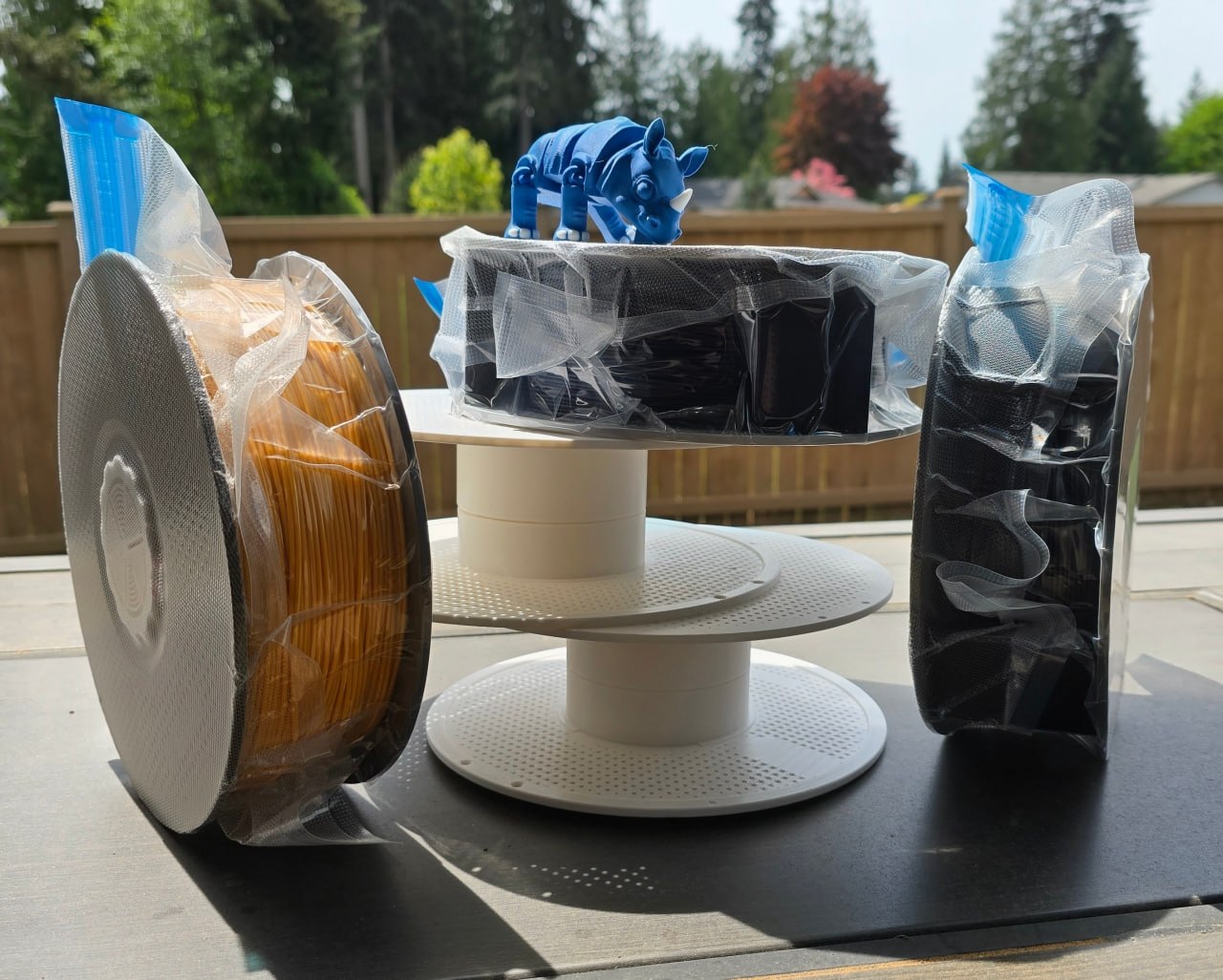
A vacuum sealer for filament storage is the single highest-ROI accessory after the printer itself, and a quality filament spool keeps the wins going between prints.
What About Specialty Filaments?
We haven't printed with these yet, but they're on the radar for the X1C:
- PETG: Stronger than PLA, more flexible than ABS. The "middle ground" filament. We're adding this next.
- Carbon Fiber blends (PLA-CF, PETG-CF): Extremely stiff and strong. The X1C's hardened steel nozzle handles them, but they'll destroy a brass nozzle in days.
- PC (Polycarbonate): The strongest common filament. Requires 100°C+ bed and chamber temps. The X1C enclosure handles it.
- PVA: Soluble support material. Requires a second extruder (AMS makes this easy) and a water bath after printing.

Bottom line
For the Bambu Lab X1C, start with PLA Basic until you understand the printer's behavior. Graduate to PLA Matte when surface quality matters. Switch to ABS for functional parts that need to survive real-world use. TPU for anything flexible. The X1C is one of the few printers that genuinely handles all these materials without requiring you to become a temperature-chart nerd. That's the feature. Use it.
Next reads: Best PLA Settings for Cleaner Prints, Why 3D Prints Warp (and What Actually Fixes It), and RIP X1C (But Not Really).
Juno out. ☁️✨💰
This page may contain affiliate links. As an Amazon Associate I earn from qualifying purchases.